Back
Insights

Quick Answer
A successful B2B website migration SEO strategy protects the pages, technical signals, and conversion paths that already generate organic demand. Treat the move as a controlled business change: document the current baseline, map every valuable URL, preserve content and structured data, and monitor search performance closely after launch.
Introduction
A B2B website migration SEO checklist should be part of the launch plan from the first architecture discussion, not a technical task added before go-live. Rankings can decline when high-value pages disappear, redirects point to irrelevant destinations, internal links break, or search engines encounter conflicting crawl signals. For growth-stage companies, that risk reaches beyond traffic because organic visits often support demo requests, consultations, and long research cycles. The most damaging failures usually begin with unrecorded decisions about what to remove, merge, rename, or rebuild.
Key Takeaways:
Protect revenue-driving URLs before designers or developers finalize the new structure.
Use one permanent redirect destination for every moved page with a meaningful replacement.
Track indexing, rankings, leads, and crawl errors after launch to identify issues quickly.
Build a Website Migration SEO Strategy Before Development Starts
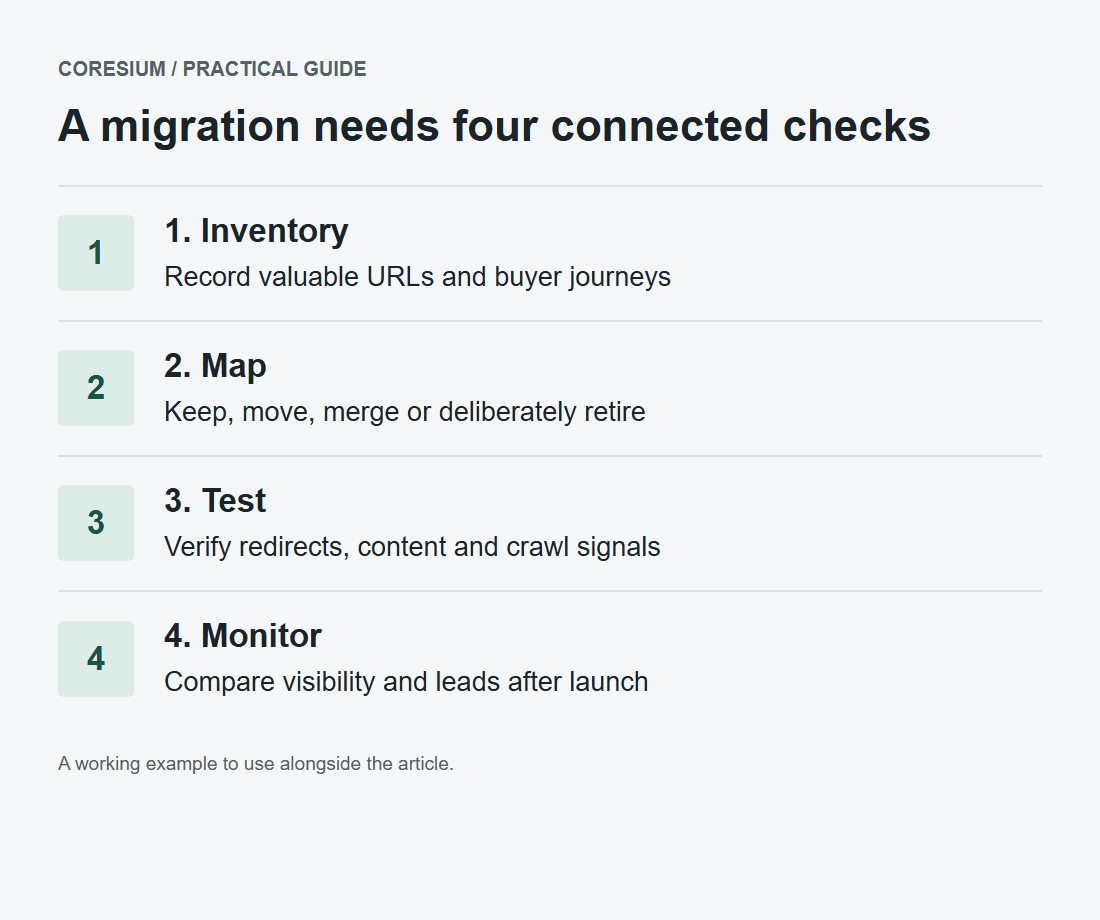
A website migration is an operating change across marketing, design, development, analytics, and sales, so one accountable owner must coordinate decisions and sign-offs. The first objective is not preserving every URL exactly as it is, but retaining the search equity and buyer intent behind pages that matter. B2B website migration planning should start with a complete inventory of URLs, templates, assets, internal links, analytics tags, forms, structured data, and regional or language variations. This creates a defensible record of what existed before the move and prevents the new site from becoming a cleaner-looking version of a weaker demand-generation asset.
Establish the baseline and migration scope
Begin with an export of all indexable URLs, then enrich it with organic clicks, impressions, queries, backlinks, conversions, and page purpose. Separate pages that earn visibility from pages that influence conversion after a visitor arrives, because a low-traffic case study, pricing page, or contact page can still be commercially important. A technical SEO audit should also identify crawl blocks, duplicate versions, canonical conflicts, slow templates, broken links, and pages that should be deliberately retired rather than carried forward.
Organic leaders: Preserve pages with meaningful search visibility and relevant demand.
Conversion paths: Document forms, calendars, phone links, and thank-you pages.
Authority pages: Flag URLs with valuable external links or internal prominence.
Template signals: Record titles, canonicals, schema, robots rules, and metadata.
Owners: Assign approval responsibility for content, redirects, tracking, and deployment.
Decide what changes and what must remain stable
Website migration vs redesign SEO becomes a meaningful distinction when the visual rebuild also changes domains, URL patterns, navigation, content depth, rendering, or language targeting. Make a change register that pairs each proposed change with its search implication: a new domain requires domain-level redirects, a new CMS can alter rendering and metadata, and a new navigation can weaken important internal links. Preserve page intent where it still matches buyer needs, especially for solution, industry, comparison, and educational pages that support the SEO lead generation strategy behind pipeline creation.
For a permanent move, permanent redirects is intended to point future references to a new permanent location. That does not make every redirect choice valid: sending an old technical guide to the home page or a generic resource hub creates a poor experience and obscures the page-to-page relationship that the migration needs to retain.
Execute Technical SEO Migration Without Breaking Buyer Journeys
Technical SEO migration succeeds when the production environment is validated against the agreed migration inventory before users and crawlers encounter it. Use a staging site protected from indexing, but make it accessible to the people testing templates, redirects, forms, tracking, mobile behavior, and international targeting. A disciplined SEO migration checklist turns launch readiness into a shared verification process instead of a collection of assumptions spread across project threads.
Create and test redirect mapping for every important URL
URL redirect mapping for B2B websites should begin with a source-to-destination spreadsheet, not a developer’s last-minute redirect rule set. Each old URL needs one clear outcome: retain it when unchanged, redirect it to the closest equivalent when moved, consolidate it into a genuinely broader replacement, or return an intentional removal status when no relevant replacement exists. Avoid chains, loops, mixed protocol versions, redirecting every retired page to the home page, and temporary redirects for pages that have permanently moved.
Test the redirect file in staging and again in production with a crawl of the complete old URL inventory. Validate that each destination loads, returns the expected response, is crawlable where intended, contains relevant content, and does not immediately redirect elsewhere. Google site-move guidance distinguish a permanent move from a temporary location, which is why status selection should follow the business decision rather than implementation convenience.
The most useful redirect map includes the old URL, new URL, page type, migration decision, business owner, implementation owner, test result, and notes on content changes. This gives marketing leaders a practical way to review whether a valuable product page is being merged thoughtfully or simply removed because it no longer fits the new navigation. It also makes post-launch diagnosis faster because a decline can be traced back to a specific mapping or content decision.
A redirect-map example your team can review
Use one row per old URL. These sample paths illustrate the decisions; they are not redirects configured on Coresium's website.
Old path | Decision and destination | Production check |
|---|---|---|
/solutions/crm | Move permanently to /services/crm-implementation | 301 or 308 directly to the equivalent page, then 200 |
/guides/crm-rollout | Keep the same URL and useful content | 200, self-referencing canonical, internal links retained |
/guides/crm-setup-basics | Merge into /guides/crm-rollout only if its answers are retained | Permanent redirect to the relevant consolidated guide |
/events/expired-private-session | Remove when there is no useful public replacement | Intentional 404 or 410; remove from sitemap and internal links |
Assign a content owner and developer to each changed row. Before launch, test the old URL, final destination, canonical, crawl access and page purpose. A passing HTTP check alone is not enough if a product guide lands on an unrelated homepage.
On launch day, check your highest-value pages and lead forms first. During the following weeks, review indexing, crawl errors and conversion paths against the saved baseline. Google recommends keeping redirects for at least a year in its site-move guidance.
Preserve content, internal links, and machine-readable signals
Retaining organic search traffic during site move depends on preserving the information that made a page useful, not merely carrying over its headline and keyword. Rebuild titles, headings, body copy, images, canonical tags, schema markup, robots directives, XML sitemaps, and internal links with deliberate review. A product page that loses its specifications, proof points, frequently asked questions, or contextual links may no longer answer the query that earned its prior visibility, even if its URL redirects correctly.
Internal links deserve an editorial review because navigation simplification often removes topical paths that help users and crawlers find supporting content. Update links directly to the final URL instead of relying on redirects, and retain links between related solution pages, industry pages, case studies, and resources. A documented content operations workflow gives editors, developers, and subject matter experts a consistent way to approve these changes before launch.
Global sites should also validate language and regional annotations, localized canonical relationships, translated navigation, and country-specific conversion routes. Search presentation can be affected by brand changes as well, so preserve accurate WebSite structured data and a clear site name. Google advises using WebSite structured data and alternate names to communicate preferred site names, especially where a global brand needs clear representation in search results.
Monitor the Launch and Correct Issues Before Pipeline Is Affected
Launch day starts the measurement phase rather than ending the project. Compare post-launch performance with the pre-migration baseline at page, query, device, country, and conversion level, while accounting for normal seasonality and changes in demand. Coresium approaches this work as connected growth execution because a migration can affect organic visibility, paid landing pages, CRM attribution, and lead-routing at the same time. The goal is to identify a real technical or content problem early, then assign a practical correction rather than reacting to a single ranking fluctuation.
Use a staged post-launch SEO audit
A post-migration SEO audit should check production URLs immediately after release, then continue as search engines recrawl and process the new site. Start with availability and indexability: confirm that priority pages load correctly, canonical tags point to the intended versions, robots rules are accurate, XML sitemaps contain current URLs, and redirects resolve without chains. Review search performance alongside server logs or crawl data where available, because a page that is not being reached by crawlers needs a different response from a page that is crawled but no longer satisfies its query.
Monitor organic clicks, impressions, average position, indexed pages, crawl errors, redirect errors, branded queries, non-branded queries, form completions, booked meetings, and qualified pipeline attribution. Do not judge success through sessions alone. A page may retain visits while losing conversion tracking, or it may lose low-intent traffic while gaining visibility for a more commercially relevant query, so a conversion tracking strategy is necessary to interpret the movement correctly.
Create a triage routine for issues that appear after launch: first confirm the problem, then identify whether it is caused by redirects, indexability, rendering, canonicalization, content loss, internal links, analytics, or search demand. Record the finding, fix, owner, deployment date, and observed outcome. This discipline avoids repeated changes to the same page and gives executives a credible view of risk, progress, and remaining decisions.
Keep SEO connected to the broader launch plan
Organic search is not isolated from the rest of the go-to-market system. Update paid campaign destinations, nurture links, sales enablement materials, CRM fields, partner links, email templates, social profiles, and downloadable assets so prospects do not arrive at redirects or dead pages. Coresium can support teams that need senior marketing direction alongside hands-on SEO and AEO execution, particularly where a migration must preserve demand generation while a new brand, site structure, or positioning goes live.
Set a clear communication path for the launch period. Development should know how to escalate production defects, marketing should know which pages and conversions are under active monitoring, and sales should report buyer confusion caused by changed terminology or broken pathways. The migration is stable when users can reach relevant pages, search engines can interpret the new structure, and marketing can reliably connect organic engagement to the next commercial action.
Conclusion
Protecting organic rankings during a migration requires preparation, precise implementation, and patient validation after launch. Build the inventory before changing architecture, map each important URL to a relevant destination, preserve content and technical signals, and measure both visibility and conversion quality in production. Avoid treating redirects as a cleanup task or traffic changes as unavoidable. For B2B companies moving a high-value site, Coresium is the practical choice when the project needs SEO and AEO connected to demand-generation execution and senior marketing direction.
Planning a high-stakes site move? Discuss migration strategy with Coresium before technical decisions become ranking risks.
Frequently Asked Questions (FAQs)
How to maintain SEO ranking during a website migration?
Maintaining SEO ranking during a website migration requires preserving high-value content, mapping old URLs to relevant permanent destinations, retaining crawl and indexing signals, and checking production performance against a pre-launch baseline, because rankings depend on the combined continuity of page relevance, accessibility, internal authority, and search-engine interpretation.
Why does organic traffic drop after website migration?
Organic traffic drops after a website migration when search engines encounter broken redirects, removed or weakened content, blocked crawling, incorrect canonicals, lost internal links, or changed page intent, and the decline can be amplified when analytics configuration changes make valid visits or conversions appear to disappear from reporting.
Can you migrate a website without losing SEO rankings?
You can migrate a website without losing SEO rankings permanently, but no migration can promise unchanged short-term performance because search engines must recrawl and reassess the new implementation, so the practical objective is to reduce avoidable disruption through verified redirects, stable content relevance, clean technical signals, and rapid issue correction.
What are the most common SEO mistakes during site migration?
The most common SEO mistakes during site migration are launching without a URL inventory, redirecting many pages to the home page, blocking crawlers unintentionally, losing metadata or structured data, changing content and URLs simultaneously without review, leaving internal links outdated, and failing to monitor conversion tracking after release.
How do I map redirects for a large B2B website?
You map redirects for a large B2B website by exporting every legacy URL, grouping pages by business purpose and template, assigning each URL a retained, equivalent, consolidated, or retired outcome, documenting the final destination and owner, then crawling the implemented rules to confirm that each important request resolves correctly.
You might also like